
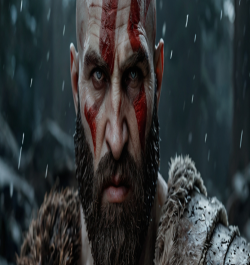


Have you ever looked at your desktop screen and felt it look kinda boring? Yeah, we all been there. You just bought a expensive monitor or a new phone, but the background looks blurry or dull. That’s where 4K wallpapers come in to save the day.
In recent years, the demand for Ultra HD wallpapers has skyrocketed. Why? Because screens are getting better. People don't want pixelated images anymore; they want crisp, clear, and vibrant backgrounds that make there setup look professional. But before you go and hit that download button, there is a few things you really should know.
This guide will explain what 4K wallpapers actually are, why pixel density matters, and help you avoid the common mistakes people make when choosing a background. If you looking for a reliable place to start, sites like FreezyStock offers a great collection to browse through.
2️⃣ What Is a 4K Wallpaper? (Explain Clearly)
A lot of people throw around the term "4K" without knowing what it really means. Put simply, a 4K resolution wallpaper refers to an image that has a resolution of roughly 3840×2160 pixels.
Definition of 4K resolution
Technically, 4K means the display has about 4,000 pixels horizontally. The standard for most televisions and monitors is exactly 3840x2160 wallpapers. This is four times the total number of pixels you get in a standard Full HD (1080p) screen.
Difference between HD, Full HD, and 4K
HD (720p): 1280 × 720 pixels – Good for old laptops, but looks blocky on big screens.
Full HD (1080p): 1920 × 1080 pixels – The standard for years, still good for smaller laptops.
4K (Ultra HD): 3840 × 2160 pixels – The gold standard for modern displays.
Why pixel density matters
Pixel density (measured in PPI) determines how sharp the image looks. If you stretch a 1080p image on a 27-inch 4K monitor, it gonna look blurry. But if you use true Ultra HD wallpapers, the density is high enough that your eyes can’t see individual pixels.
3️⃣ Benefits of Using 4K Wallpapers
Why should you bother upgrading your background? Here is why high resolution wallpapers are superior:
Sharper image quality: Every leaf, star, or texture in the image is visible.
Better details and clarity: Especially noticeable on larger screens where lower resolutions fail.
Perfect for large monitors: If you have a 27-inch or 32-inch monitor, best 4K wallpapers are a must.
Ideal for gaming setups: Gamers spend a lot on graphics cards; a low-res wallpaper ruins the vibe.
Best for AMOLED / Retina displays: High-end phones with OLED screens show off deep blacks and vibrant colors better with 4K.
4️⃣ Things to Check Before Downloading a 4K Wallpaper
Before you grab the first cool image you see, stop and check these things.
✅ Screen Compatibility
Is your device truly 4K? If you put a 4K resolution wallpaper on an old 720p laptop, it will look fine, but your computer has to work harder to shrink it down. However, using a low-res image on a 4K screen is a disaster.
✅ File Size
4K wallpapers are much larger than standard images. A high-quality PNG can be 5MB to 15MB. If you downloading hundreds of them, watch your storage space.
✅ Image Quality & Compression
Be careful of "upscaled" images. Some sites take a small 1080p photo and just stretch it to 3840x2160 wallpapers size. This doesn't add detail; it just adds blur. Always look for sharpness.
✅ Source Safety
Downloading from random sites can be risky. Always use trusted sources to avoid malware. Platforms like FreezyStock are generally safer because they curate their content for quality and security.
5️⃣ 4K Wallpapers for Different Devices
Not all 4K images work on all devices. You need the right aspect ratio.
🖥 Desktop & Monitor
For computers, you usually need a landscape format (horizontal).
Ideal resolution: 3840×2160 or wide ultrawide resolutions.
Focus: Center-focused subjects often get hidden behind icons, so choose wisely.
📱 Mobile Phones
Phones need vertical wallpapers.
Vertical orientation: You can crop a desktop wallpaper, but it might lose the main subject.
Lock screen vs home screen: Busy patterns work great for lock screens, but keep home screens simple so you can see your apps.
6️⃣ 4K vs 2K vs HD – Which One Should You Choose?
Here is a quick text comparison to help you decide.
| Resolution | Pixels | Best For |
| HD (720p) | 1280x720 | Old laptops, budget phones |
| Full HD (1080p) | 1920x1080 | Standard laptops, 24" monitors |
| 2K (1440p) | 2560x1440 | 27" Gaming monitors |
| 4K (2160p) | 3840x2160 | Large TV, 32" monitors, High-end PCs |
When 4K is worth it: If you have a monitor larger than 24 inches or a flagship smartphone, the difference between 4K vs 1080p is huge. The text and lines will look much smoother.
When Full HD is enough: On a small 13-inch laptop screen, you might not notice much difference between 4K vs HD wallpaper, and the 1080p version will save battery life.
7️⃣ Common Mistakes People Make
Don't be the person who ruins a nice setup with a bad background.
Downloading fake 4K images: As mentioned, avoid upscaled blurry junk.
Choosing wrong aspect ratio: Putting a square image on a wide monitor creates ugly black bars.
Ignoring device resolution: Don't download a 4K file if you have zero storage left.
Using over-compressed images: JPEGs that are compressed too much lose all the benefits of Ultra HD wallpapers.
8️⃣ Where to Download High-Quality 4K Wallpapers
Finding the right site is half the battle. A good wallpaper website should have:
Resolution filters (so you can select 4K specifically).
Category organization (Anime, Nature, Minimalist).
Fast loading speed.
Safe downloads.
If you want to download 4K wallpapers safely, you should check out FreezyStock. It is a great resource for finding high-quality, community-sourced backgrounds without worrying about low-quality upscales.
9️⃣ Conclusion
To recap, 4K wallpapers are the best way to make your screen look crisp and modern. Whether you are a gamer or just someone who likes a clean desktop, upgrading to 3840x2160 wallpapers makes a noticeable difference.
Before you go, check your screen resolution settings to see what your monitor can handle. Then, head over to a site like FreezyStock to explore some amazing collections. Don't settle for blurry backgrounds anymore!
🔥 Frequently Asked Questions (FAQ)
Here are some common questions users ask about 4K backgrounds.
1. Is 4K wallpaper worth it?
Yes, absolutely. If you have a modern screen, a 4K wallpaper makes everything look sharper and more premium.
2. Does 4K wallpaper slow down PC?
Generally, no. However, if you have a very old computer with low RAM, a massive file size might cause a slight delay when logging in, but for most users, it is not an issue.
3. Can I use 4K wallpaper on 1080p screen?
Yes, you can. It will look very sharp because the image is being downscaled. It’s often better to use a higher resolution than a lower one.
4. Why are 4K wallpapers blurry sometimes?
This usually happens if the operating system compresses the image when you set it as a background, or if you downloaded a "fake" 4K image that was just stretched from a smaller size.