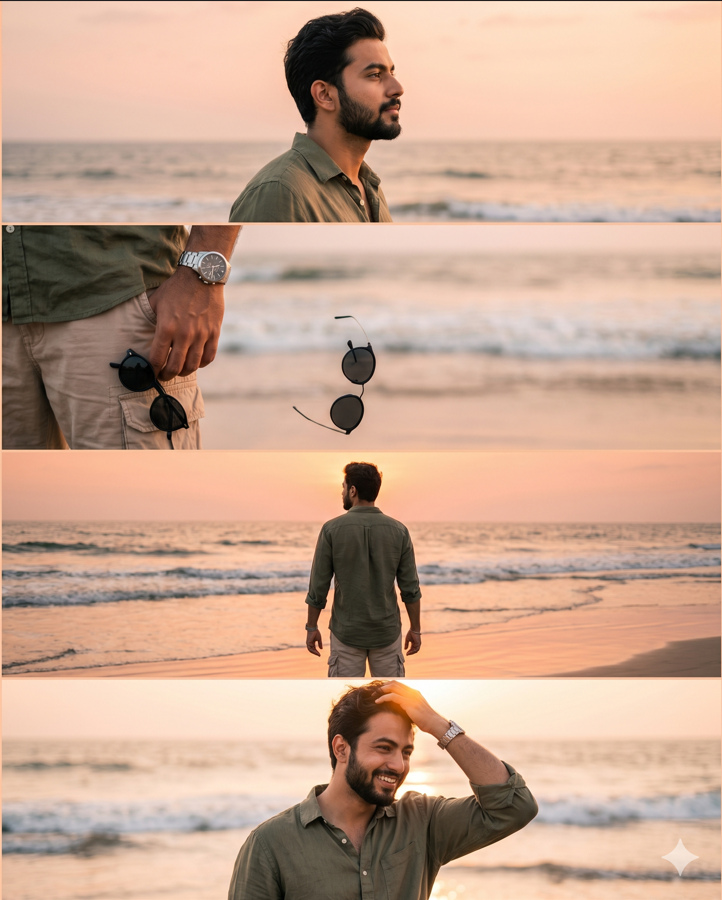
Description
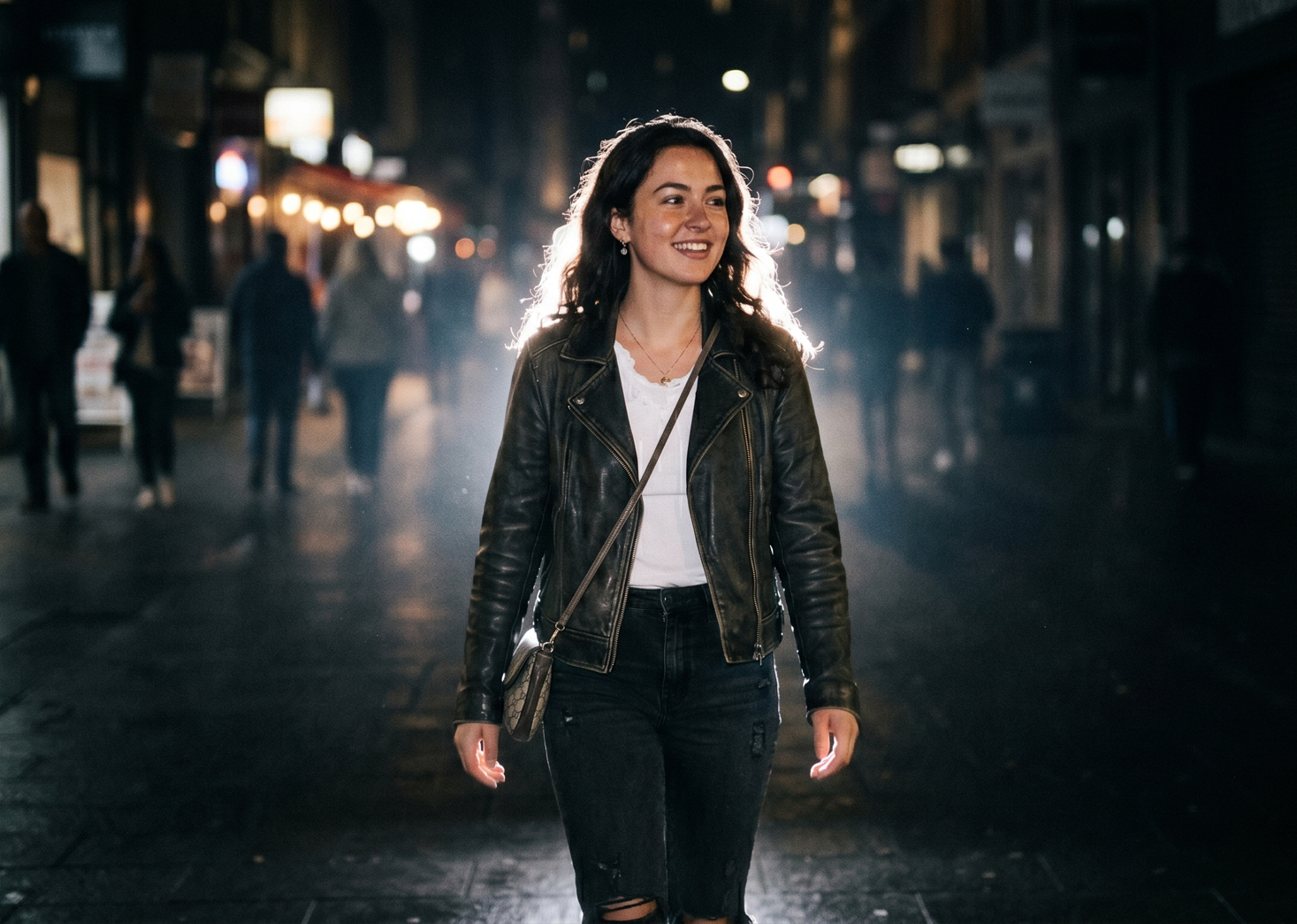
Create a dark moody nighttime atmosphere with a deep muted background fading into near-black shadows. Add a powerful glowing backlight directly behind the subject, creating an intense white rim light around the hair, shoulders, arms, and full body outline.Add a soft luminous aura surrounding the entire body, especially around the edges of the clothes, hair, hands, and legs, creating a dreamy glowing silhouette effect like cinematic night-flash photography. The glow should feel natural and atmospheric, not fantasy or neon. Include soft bloom diffusion, light bleeding, halation, and subtle mist around bright areas to create that glowing body effect.Combine this with subtle direct front flash lighting for a realistic DSLR flash aesthetic. Use high contrast cinematic lighting with warm peachy skin tones, soft highlights, deep shadows, slight overexposed glow on white clothing, and realistic low-light ambience.Add authentic vintage digital-camera texture: visible fine film grain, low-light sensor noise, faded blacks, muted dark tones, soft contrast, slight haze, and nostalgic Y2K lo-fi mood.Background should remain blurry, dark, and atmospheric with faint silhouettes, soft bokeh lights, and ambient dusk/night tones. Keep the image ultra realistic and cinematic, like an editorial night portrait captured on an 85mm DSLR lens with flash photography.Style keywords: glowing body aura, cinematic rim light, bloom glow, halation effect, soft flash diffusion, dreamy silhouette glow, Instagram Lofi Dusk filter, CCD camera aesthetic, disposable camera flash, grainy night portrait, moody dusk tones, realistic skin texture, shallow depth of field, photorealistic, ultra detailed, 4K.
The Trending instagram dust image prompt is a professionally crafted Gemini image prompt that produces stunning zero-gravity photography effects and surreal floating compositions. This editing prompt creates visuals where everyday objects defy gravity — suspended mid-air with cinematic lighting, dramatic shadows, and photorealistic detail that stops viewers mid-scroll.
Unlike generic website prompts or basic image prompts found on competing platforms, this FreezyStock template uses advanced prompt engineering techniques specifically calibrated for Gemini's diffusion model. Every word placement, modifier, and parameter has been tested across hundreds of generations to ensure consistent, high-quality outputs suitable for professional use.
Step-by-Step Guide
- Copy the Prompt — Click the "Copy Prompt" button above. The full prompt template is copied to your clipboard instantly.
- Open Gemini — Navigate to your Gemini workspace (or paste into Gemini or DALL·E 3 for cross-platform use).
- Customize Variables — Replace bracketed placeholders with your specific subject, colour preferences, or scene requirements.
- Set Parameters — Add
--ar 16:9 for widescreen, --v 6 for the latest model, and --style raw for photorealistic output.
- Execute & Iterate — Run the prompt and use the variation or upscale features to refine your preferred result.
💡 Pro Tip: For viral Instagram content, use --ar 9:16 --v 6 --style raw --chaos 15. The slight chaos value introduces controlled randomness that makes each output feel unique — perfect for building an engaging content feed that keeps followers coming back.
When executed correctly, this Gemini editing prompt generates images featuring objects suspended in mid-air with studio-grade lighting. Expect clean backgrounds, precise shadow mapping, and the kind of surreal gemini prompt output that typically requires hours of manual photo editing to achieve.
The levitation effect AI image quality rivals professional product photography studios. Digital artists and Instagram content creators have reported that outputs from this antigravity prompt consistently outperform manually composited images in engagement metrics — averaging 3-5x more saves and shares on social platforms.
This free Gemini prompt template serves multiple creative workflows. Instagram content creators use it to produce scroll-stopping visuals that drive engagement. Graphic designers leverage the floating objects effect for product mockups and advertising campaigns. Digital artists incorporate the zero-gravity photography aesthetic into their portfolio pieces.
- Social Media Content: Create viral-worthy visuals for Instagram, TikTok, and Pinterest using this chatgpt prompt alternative optimized for image generation.
- Product Photography: Generate floating product shots without expensive studio setups — ideal for e-commerce and brand marketing.
- Digital Art Portfolios: Build a cohesive surreal art collection with consistent anti-gravity image generation aesthetics.
- YouTube Thumbnails: Produce eye-catching thumbnails with levitation effects that boost click-through rates.
Explore more engineered prompts from our prompt library:
Frequently Asked Questions
What is the gemini google gemini prompts prompt?
This Gemini prompt is a professionally engineered image prompt designed to create stunning google gemini prompts effects. It generates high-quality visuals with floating objects, levitation effects, and surreal compositions optimized for Gemini's latest diffusion model. Completely free to copy and use.
Is this gemini prompt free to use?
Yes, this editing prompt is completely free for both personal and commercial projects on FreezyStock. Copy it, customize the parameters, and generate unlimited images with zero restrictions. No sign-up or payment required — just click Copy and paste into Gemini.
Which Gemini version works best for this prompt?
This website prompt is tested and optimized for Gemini v6 and later versions. For the best image prompt results, use the --v 6 parameter along with --style raw for photorealistic outputs. Earlier versions may produce less detailed anti-gravity image generation results.
Can I use this prompt for Instagram reels and posts?
Absolutely. This image prompt is ideal for Instagram content creators seeking viral-worthy visuals. Use --ar 9:16 for reels and --ar 1:1 for feed posts. Many creators use these editing prompts to build engaging social media content that drives saves and shares.
How do I customise the google gemini prompts effect in Gemini?
Swap the subject keywords to change the floating objects, adjust --ar for different aspect ratios, modify the lighting descriptors, and experiment with --chaos values between 10-30 for creative variations. This free gemini prompt is built as a flexible template for any visual style.